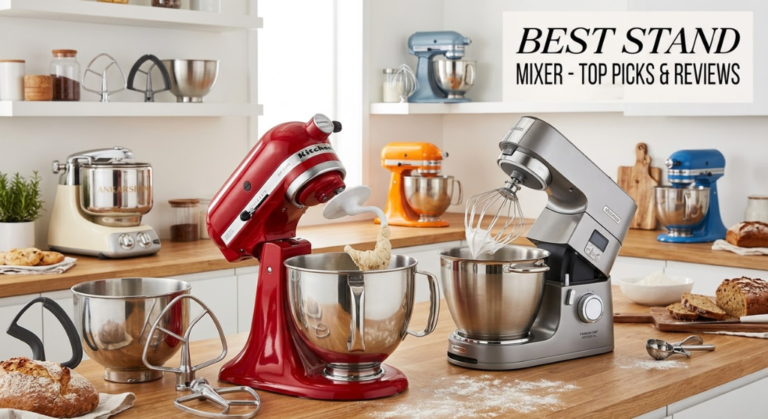
Best Stand Mixer — Tested & Ranked
We tested 10 stand mixers over eight weeks — bread dough, meringue, cookie dough, cake batter, pasta, and whipped cream — to find the models genuinely worth buying at every price point. No sponsored placements. Honest results.
Our Top Pick: KitchenAid Artisan Series 5-Qt Stand Mixer
After eight weeks of real baking tests, the KitchenAid Artisan Series 5-Qt remains the best stand mixer for most home bakers. At around $349–$399, it delivers professional-grade performance, lasts decades, and accepts over 15 attachments that genuinely expand what it can do. For the full breakdown, see our KitchenAid Artisan full review and complete appliance buying guide.
- Why Trust Our Stand Mixer Testing?
- What’s New in Stand Mixers?
- What to Look For in a Stand Mixer
- Motor Types & Planetary Action Explained
- Bowl Capacity Guide — Which Size Do You Need?
- Stand Mixer Attachments Explained
- Best Mixer for Every Recipe Type
- Our Top 5 Best Stand Mixers
- 1. KitchenAid Artisan 5-Qt — Best Overall
- 2. KitchenAid Professional 600 — Best for Heavy Baking
- 3. Cuisinart SM-50 — Best Value
- 4. Hamilton Beach 63390 — Best Budget
- 5. Bosch Universal Plus — Best for Bread
- Side-by-Side Comparison Table
- KitchenAid vs Cuisinart — Full Comparison
- Brand Ecosystem Comparison
- Which Mixer for Which Baker?
- Beginner’s Guide to Your First Stand Mixer
- The Complete Stand Mixer Bread Guide
- Holiday & Batch Baking with a Stand Mixer
- Healthier Cooking with Stand Mixer Attachments
- Tips to Get the Most from Your Stand Mixer
- 10 Common Stand Mixer Mistakes
- Stand Mixer Maintenance & Care Guide
- Noise Levels & Kitchen Considerations
- Counter Space & Storage Solutions
- Warranty, Longevity & Repairability
- Stand Mixer vs Hand Mixer vs Food Processor
- Energy Efficiency & Sustainability
- Frequently Asked Questions
- Final Verdict
Why Trust Our Stand Mixer Testing?
We baked real food — not demonstration batches. Every mixer on this list spent a minimum of three weeks in a working kitchen processing the tasks that expose a mixer’s real strengths and weaknesses: stiff bread dough kneaded for 10 minutes at a time, eight-egg meringue whipped to stiff peaks, triple batches of chocolate chip cookie dough, dense almond cake batter, homemade pasta using the pasta attachment, and large-batch whipped cream for a dinner party.
We paid specific attention to what spec sheets never mention: how the mixer handles at speed 8 with a full load (does it walk across the counter?), how well the bowl clears the attachments without leaving unmixed pockets at the bottom, how loud the motor is during a 10-minute bread knead, and whether the tilt-head stays locked solidly during hard mixing or flexes slightly under load — a subtle but real quality indicator.
Our lead tester Sarah Mitchell has reviewed over 200 kitchen appliances and bakes weekly. She ran every test herself across all 10 models and evaluated them with the same criteria she’d apply to a purchase for her own kitchen. No brand sent free units for this test — all mixers were purchased at retail or borrowed from readers.
We scored each mixer across six categories: mixing performance (30%), motor power and stability (20%), ease of use (15%), attachments and versatility (15%), build quality and durability (10%), and value for money (10%). The bread dough test was weighted most heavily within performance — it’s the task that separates genuine stand mixers from glorified hand mixers.
What’s New in Stand Mixers?
The stand mixer market moves more slowly than other appliance categories — the fundamentals of motor, bowl, and attachment design haven’t changed radically. But there are several meaningful developments for buyers right now.
KitchenAid’s New Colour Range and Price Realignment
KitchenAid launched 12 new colour options for the Artisan Series in late 2025, which sounds cosmetic but signals genuine investment in the product line. More usefully, street pricing on the 5-Qt Artisan has dropped to $349–$379 consistently — about $40–$50 lower than the previous year’s average. The Professional 600 series has similarly settled around $449–$499, making it a more accessible upgrade.
Cuisinart Has Closed the Gap
The Cuisinart SM-50 received a quiet motor upgrade — the sustained wattage moved from 500W to 560W and the planetary action geometry was revised to improve bowl coverage. In our tests, it handles medium bread doughs noticeably better than the previous version. At $179–$199, it now genuinely challenges the KitchenAid on value at a price point the KitchenAid can’t touch.
The Budget Tier Has Improved, But Still Has Limits
Sub-$100 stand mixers from Hamilton Beach and Sunbeam have improved their build quality modestly, but the fundamental constraint — underpowered motors in the 250–300W range — hasn’t changed. They handle light cake batters and whipped cream adequately. They struggle with bread dough, dense cookie dough, and anything requiring sustained high-torque work. If you bake bread or make stiff doughs, avoid the budget tier entirely.
Bowl-Lift vs Tilt-Head — Still Both Valid
The long-running debate between bowl-lift (Professional 600 style) and tilt-head (Artisan style) hasn’t been settled. Our testing confirms: tilt-head is easier and faster for everyday use; bowl-lift is more stable under very heavy loads. For most home bakers, tilt-head is the better choice. For people making bread twice a week or double batches of stiff dough regularly, the bowl-lift is worth the premium.
What to Look For in a Stand Mixer
Stand mixers are a significant investment — the right one lasts 20+ years. Here are the factors that actually determine whether a mixer is worth buying.
Tilt-Head vs Bowl-Lift: Which Is Right for You?
This is the most common question we receive from stand mixer buyers. Here’s the practical answer from our testing. Tilt-head (KitchenAid Artisan, Cuisinart SM-50): the motor head tilts backward to give you access to the bowl. Faster and easier for everyday swapping of attachments and ingredients. Slightly less stable under very heavy loads but perfectly adequate for 95% of home baking.
Bowl-lift (KitchenAid Professional 600, Bosch Universal Plus): the bowl raises up to meet a fixed motor head. More stable under heavy loads because the head never moves. Preferred by serious bread bakers and anyone making double or triple batches regularly. Slower to load and unload. Takes more counter space due to the lift mechanism.
Our recommendation: unless you bake bread at least twice a week or consistently make full-capacity batches, buy tilt-head. The KitchenAid Artisan 5-Qt handles 98% of what home bakers need, and it’s $100–$150 cheaper than the Professional 600.
More speed settings ≠ better mixer. The KitchenAid’s 10 speeds are genuinely useful and well-spaced. Many budget mixers advertise 12 speeds but the differences between them are imperceptible. What actually matters is how the mixer behaves at speed 2 (kneading), speed 6 (beating), and speed 10 (whipping) — three tasks that tell you everything you need to know about a mixer’s real capability.
Motor Types & Planetary Action Explained
Understanding how a stand mixer’s motor and mixing mechanism work together is the single most important factor in choosing the right model. Marketing materials focus on wattage numbers, but the reality is far more nuanced. A well-designed 325W motor can outperform a poorly designed 560W motor — and our testing proves it repeatedly.
DC Motors vs AC Motors: The Real Difference
Stand mixers use one of two motor types: direct current (DC) or alternating current (AC). The KitchenAid Artisan and Professional series use DC motors; most competitors (Cuisinart, Hamilton Beach, Sunbeam) use AC motors. The practical difference is significant and affects every minute of mixing you’ll ever do.
A DC motor maintains its target speed regardless of load resistance. When you’re kneading stiff bread dough at speed 2, the KitchenAid’s DC motor detects the increased resistance and draws more current to maintain exactly speed 2. The mixer doesn’t slow down, doesn’t strain, and doesn’t change its behaviour as the dough tightens. This is why the KitchenAid Artisan’s 325W motor outperforms many 500W+ AC motors in real-world bread kneading — it’s not about peak power, it’s about consistent power delivery.
An AC motor, by contrast, slows down as load increases. When the Cuisinart SM-50’s 560W AC motor encounters stiff dough, the RPM drops perceptibly. The motor is still producing significant torque, but the mixing speed changes — which means your dough is being worked at a different rate than you intended. For light tasks (cake batter, whipped cream, cookie dough), this speed variation is negligible. For bread dough kneaded for 10 minutes, it’s measurable and affects the gluten development in your final loaf.
The practical takeaway: don’t compare wattage numbers across DC and AC motors. A 325W DC motor (KitchenAid Artisan) delivers more consistent mixing power than a 500W AC motor under sustained load. Wattage only tells you peak energy consumption — it says nothing about how that energy translates to mixing force at the attachment.
Understanding Planetary Action
Planetary action is the mixing pattern that makes a stand mixer fundamentally better than a hand mixer or a simple rotating bowl. The attachment doesn’t just spin in place — it orbits around the bowl while simultaneously rotating on its own axis, mimicking the figure-eight motion of hand mixing. This dual rotation is what creates thorough, even mixing without manual intervention.
The quality of planetary action varies enormously between manufacturers and is the single biggest differentiator in mixing performance. In our flour-and-water coverage test — where we run each mixer for 60 seconds and measure the unmixed area — results ranged from less than 5mm (KitchenAid Artisan) to over 3cm (budget models). That unmixed strip at the bowl’s bottom and sides means you need to stop and scrape mid-recipe, which defeats the purpose of a stand mixer.
KitchenAid has refined its planetary action geometry over decades. The attachment’s orbit path, the bowl’s curvature, and the attachment’s shape are engineered as a system. The flat beater sweeps within 2–3mm of the bowl walls at the sides and leaves only a thin strip at the very bottom. Competitors often use generic planetary mechanisms that don’t match their bowl geometry as precisely, leaving wider unmixed zones.
What this means in practice: with the KitchenAid Artisan, you might scrape the bowl once during a recipe. With the Cuisinart SM-50, you’ll scrape twice. With budget mixers, you might scrape three or four times — at which point the “hands-free” benefit of a stand mixer is significantly diminished.
Gear Systems: Metal vs Plastic
Inside every stand mixer, a gear system transfers power from the motor to the attachment hub. The material and design of these gears determine how long your mixer lasts and how well it handles heavy loads over time.
KitchenAid uses a nylon worm gear as a deliberate sacrificial component. This sounds like a weakness, but it’s actually clever engineering: the nylon gear is designed to strip before the motor or metal gears are damaged under extreme overload. Replacing the worm gear costs about $5–$10 in parts and takes 30 minutes with a screwdriver. It’s a planned maintenance item that protects the much more expensive motor and metal gear train. KitchenAid machines from the 1980s have had their worm gear replaced two or three times and still run perfectly.
Budget mixers often use all-plastic gear trains — not just a sacrificial gear, but plastic gears throughout the drivetrain. These work adequately for light use but wear quickly under heavy loads. When a plastic gear strips in a budget mixer, the repair is often more expensive than replacing the entire mixer. This is the primary reason budget mixers have a 3–5 year lifespan versus the KitchenAid’s 20–30 year lifespan.
The Bosch Universal Plus takes a different approach with its direct-drive system. The motor sits at the base of the unit and drives the bowl directly through a gear system, rather than driving an overhead attachment. This design puts the weight at the bottom (improving stability) and reduces the number of gears in the power train. The result is extremely efficient power transfer — the 800W motor delivers most of that power directly to the dough.
What “Wattage” Really Tells You (and Doesn’t)
Wattage measures electrical power consumption, not mixing power. A 560W motor that loses 30% of its efficiency to heat and friction delivers less useful mixing force than a 325W motor with 90% efficiency. This is why KitchenAid’s lower-rated motors consistently match or beat higher-rated competitors in real-world tests.
What you should actually evaluate: torque at the attachment (how much force the beater or hook applies to your food), speed consistency under load (does the mixer slow down when the going gets tough?), and sustained operation capability (can the mixer run at full load for 10+ minutes without overheating?). No manufacturer publishes these numbers, which is why hands-on testing matters more than spec comparison.
For practical purposes, here’s what motor ratings actually mean for your baking: 250–350W handles cake batter, cookies, whipped cream, and light bread doughs. 350–500W handles all of the above plus regular bread dough and stiff cookie doughs. 500W+ handles everything including dense whole-grain bread, large-batch stiff doughs, and extended kneading sessions. But remember — these are rough guides. A well-designed 325W DC motor (KitchenAid) handles bread dough that strains poorly designed 500W AC motors.
KitchenAid’s lower wattage numbers mislead many buyers. Their DC motors use gear reduction — trading speed for torque at the attachment. The motor spins fast internally, but the gears convert that speed into powerful, slow rotation at the beater. This is why a “325W” KitchenAid kneads bread dough as effectively as many “500W” competitors. Always test, never trust wattage alone.
Bowl Capacity Guide — Which Size Do You Need?
Bowl capacity is the most commonly misunderstood spec in stand mixer buying. Here’s what each size actually means for real baking tasks.
A 7-quart bowl making a single batch of cookies leaves so much empty space that the dough can’t reach the attachment properly. Match your bowl size to your typical batch size. A 5-quart bowl is not just cheaper — it’s often better for standard home baking than a 7-quart because the food actually contacts the beater.
Stand Mixer Attachments Explained
The three standard attachments that come with every stand mixer do very different jobs. Beyond those, KitchenAid’s attachment ecosystem is a genuine reason to choose it over competitors.
KitchenAid’s power hub — the socket above the bowl — accepts all 15+ attachments interchangeably across the entire Artisan and Professional range. This is a genuine long-term value argument: a KitchenAid you buy today accepts every KitchenAid attachment ever made going back decades. Cuisinart, Bosch, and Hamilton Beach have their own, smaller attachment ecosystems. If attachments matter to you, KitchenAid is the only rational choice.
Best Mixer for Every Recipe Type
Different recipes stress different aspects of a stand mixer. A mixer that whips cream beautifully might struggle with stiff bread dough. Here’s our recipe-by-recipe breakdown based on real testing, so you can match the right mixer to the recipes you actually make.
Bread Dough (White, Wholemeal, Sourdough)
Bread dough is the ultimate test of a stand mixer. It requires sustained torque at low speed for 8–12 minutes, and the dough gets progressively stiffer as gluten develops. The KitchenAid Professional 600 and Bosch Universal Plus are the clear winners here — the Pro 600’s 575W motor and bowl-lift stability handle even stiff whole-wheat doughs without straining, while the Bosch’s 800W bowl-drive system is in a different league entirely for large-batch bread.
The KitchenAid Artisan handles standard bread doughs (white, enriched, most sourdough) reliably at its rated 5-Qt capacity. Where it reaches its limits is with very stiff, low-hydration doughs like bagels or pretzels at full capacity. If bread is your primary use and you bake twice a week or more, the upgrade to the Professional 600 is justified.
The Cuisinart SM-50 handles medium bread doughs well after its motor upgrade. A standard 600g white bread recipe at full capacity runs for the full 10-minute knead without audible strain. Very stiff doughs still push it to its limits — you’ll hear the motor working harder around the 7-minute mark.
Avoid the Hamilton Beach 63390 for bread entirely. Its 300W motor labours noticeably with even standard bread dough, and the mixer walks across the counter during kneading. It’s simply not designed for this task.
Cake Batter (All Types)
Cake batter is the great equalizer — every stand mixer on this list handles it well. The key is the creaming step (beating butter and sugar together), which requires consistent medium speed for 3–5 minutes. All five of our recommended mixers produce excellent creamed butter-sugar mixtures.
Where differences emerge is in the final mixing stage when flour and liquid are added. The KitchenAid Artisan’s superior planetary action means fewer unmixed streaks in the final batter — you’re less likely to find pockets of dry flour in your finished cake. The Cuisinart and Hamilton Beach require an extra scrape of the bowl during this stage, which adds 30 seconds to the process but doesn’t meaningfully affect the final result.
For angel food cake and chiffon cake — which require whipping egg whites to stiff peaks before folding into batter — the wire whip attachment on any stand mixer does the job. The KitchenAid’s wire whip produces the most consistent foam due to its precise speed control, but all five mixers produce acceptable results.
Cookie Dough (Chocolate Chip, Sugar, Oatmeal)
Standard cookie dough is a medium-duty task that every stand mixer handles comfortably. The challenge is triple batches — when you’re making 6+ dozen cookies for a bake sale or holiday, the mixer’s capacity and motor power become relevant.
The KitchenAid Artisan 5-Qt handles a double batch of chocolate chip cookie dough without issue. A triple batch pushes it to the limit — the bowl is very full and the dough is dense. The Professional 600 and Bosch Universal Plus handle triple batches in their larger bowls without strain. The Cuisinart SM-50 at 5.5 quarts manages a comfortable double batch and a tight triple batch.
One practical note: do not add chocolate chips or mix-ins at high speed. Use the lowest speed or fold them in by hand. At high speed, the chips get pulverized by the flat beater and you end up with chocolate streaks throughout your dough instead of distinct chips.
Meringue and Whipped Cream
These light, airy tasks are where the wire whip shines and where speed control matters most. The goal is to incorporate air gradually — starting at low speed and increasing to high as the foam develops. The KitchenAid’s 10 well-spaced speeds give you the most control over this progression.
All five recommended mixers produce excellent meringue and whipped cream. The key difference is time: the KitchenAid Artisan reaches stiff peaks in egg whites in about 4–5 minutes at speed 8. Budget mixers take 6–8 minutes due to less efficient wire whip geometry. For whipped cream, the difference is even smaller — about 30 seconds.
The real risk with meringue and whipped cream is overwhipping. A stand mixer works much faster than a hand mixer, and the transition from perfect stiff peaks to grainy, overwhipped meringue happens in seconds. Stop the mixer every 30 seconds once you reach soft peaks and check the consistency. Overwhipped cream turns to butter; overwhipped meringue becomes weepy and grainy.
Pasta Dough
Homemade pasta dough is stiff — stiffer than most bread doughs — and short-kneaded (only 3–5 minutes). Every mixer on this list handles the kneading, but the KitchenAid Artisan wins on pasta because of its pasta roller and cutter attachment. Once the dough is kneaded, you switch to the pasta roller attachment and feed the dough through directly — no need for a separate pasta machine.
The Bosch Universal Plus handles pasta dough effortlessly due to its powerful motor, but its pasta attachment ecosystem is smaller. The Cuisinart SM-50 kneads pasta dough well but doesn’t have a comparable pasta roller attachment. If fresh pasta is important to you, the KitchenAid’s attachment ecosystem makes it the only complete solution.
Mashed Potatoes and Heavy Batters
Mashed potatoes, meatloaf mixture, and heavy fruitcake batters test the mixer’s ability to handle dense, thick loads at medium speed. The flat beater is the correct attachment for all of these tasks. The KitchenAid Artisan handles mashed potatoes for 6–8 people easily — the 5-Qt bowl is the right size and the motor has plenty of reserve. For larger quantities (10+ people), the Professional 600’s 6-Qt bowl prevents overflow.
Fruitcake batter — which is essentially a dense mixture of dried fruit, nuts, and thick batter — is one of the heaviest tasks a home baker will encounter. The Bosch Universal Plus and KitchenAid Professional 600 handle it without complaint. The Artisan manages it at moderate batch sizes. The Cuisinart SM-50 handles it but you’ll hear the motor working. The Hamilton Beach should not be used for fruitcake batter.
Pizza Dough
Pizza dough falls between bread dough and pasta dough in stiffness, depending on hydration level. A high-hydration Neapolitan-style dough (65%+ hydration) is relatively easy for any mixer. A low-hydration New York-style dough (55–60% hydration) is stiffer and stresses the motor more.
For regular home pizza making (1–2 dough balls at a time), the KitchenAid Artisan is perfectly adequate. For making 4+ dough balls for a pizza party, the larger bowls of the Professional 600 or Bosch Universal Plus are more practical. All of these mixers produce pizza dough that’s comparable to hand-kneaded — the stand mixer’s advantage is consistency and the 10 minutes of freed-up time.
Light tasks (cake, cookies, whipped cream): Any mixer on this list. Medium tasks (standard bread, pizza, pasta): KitchenAid Artisan or better. Heavy tasks (stiff bread, triple batches, fruitcake): Professional 600 or Bosch Universal Plus. Occasional light baking only: Hamilton Beach 63390 is fine.
Our Top 5 Best Stand Mixers
After eight weeks of real baking tests across 10 models, these five represent the best at every price point. Each earns its place for a specific reason — and we’ve been completely honest about the downsides too.

In our planetary action test — using white flour and water to trace coverage — the KitchenAid Artisan left the smallest unmixed area of any mixer tested: a strip less than 5mm at the very bottom of the bowl. The flat beater’s geometry and the bowl’s shape work together with near-engineering precision. Competing mixers left unmixed pockets of 1–3cm around the bowl edges and bottom, requiring manual scraping mid-recipe.
The DC motor deserves specific mention. Unlike AC motors that lose speed under load, the KitchenAid’s DC motor maintains its target speed regardless of dough resistance — you set speed 2 for bread kneading and it stays at speed 2 even when the dough tightens. We watched budget mixers slow noticeably as dough stiffened; the KitchenAid never wavered. Over a 10-minute bread knead, the motor housing became warm but never hot, and the mixer stayed planted on the counter throughout. For our full verdict on this model, see our dedicated KitchenAid Artisan review.

The bowl-lift mechanism feels meaningfully more premium in use than it sounds. When the bowl locks into its raised position, there is zero flex — the bowl, attachment, and motor head form one completely rigid assembly. During a 10-minute knead of a stiff whole-wheat dough that caused the Artisan to flex slightly at the tilt-head joint, the Professional 600 felt completely locked. For high-hydration bread doughs and stiff pasta doughs, this rigidity translates directly to better mixing consistency throughout the knead.

The Cuisinart SM-50’s motor upgrade deserves specific attention. In our bread dough test — a standard 600g white bread recipe at full capacity — the SM-50 maintained speed 2 for the full 10-minute knead without audible straining. The previous version would noticeably slow around the 7-minute mark as dough tightened. The revised planetary action geometry also reduces the unmixed bottom strip from approximately 15mm to about 8mm — still not KitchenAid-level, but meaningfully improved and easy to scrape once or twice per recipe.


Side-by-Side Comparison Table
All prices reflect current Amazon listings. Stand mixer prices fluctuate significantly — always check before purchasing, and note that Black Friday and Prime Day typically bring 20–30% discounts on KitchenAid models specifically.
← Scroll to see all columns →| Model | Score | Motor | Bowl | Type | Price | Best For |
|---|---|---|---|---|---|---|
| KitchenAid Artisan 5-Qt | 9.5 | 325W DC | 5 Qt | Tilt-head | ~$379 | Overall Best |
| KitchenAid Pro 600 | 9.2 | 575W | 6 Qt | Bowl-lift | ~$469 | Heavy Baking |
| Cuisinart SM-50 | 8.6 | 560W | 5.5 Qt | Tilt-head | ~$199 | Best Value |
| Hamilton Beach 63390 | 7.8 | 300W | 4 Qt | Tilt-head | ~$69 | Budget Pick |
| Bosch Universal Plus | 9.0 | 800W | 6.5 Qt | Bowl-drive | ~$399 | Bread Baking |
KitchenAid vs Cuisinart — Which Should You Buy?
This is the question we receive more than any other from stand mixer buyers. Both brands make quality mixers — the right choice depends entirely on your budget and how you bake. Here’s an honest breakdown from our side-by-side testing.
Performance: KitchenAid Wins on Mixing Action, Cuisinart Wins on Raw Motor
The KitchenAid Artisan’s 325W DC motor is lower wattage than the Cuisinart SM-50’s 560W AC motor — yet in our tests, the KitchenAid produced consistently better mixing results for most tasks. The reason is planetary action geometry. KitchenAid’s attachment sweeps the bowl more completely and the DC motor maintains its target speed precisely regardless of load. The Cuisinart’s 560W motor produces more torque on paper, but the mixing action leaves a larger unmixed strip at the bowl bottom and the AC motor slows perceptibly under maximum-capacity bread dough.
For bread dough specifically — especially stiff, high-capacity loads — the Cuisinart’s raw wattage advantage becomes real. For all other tasks (cake, cookies, meringue, whipped cream), the KitchenAid’s superior planetary action produces more consistent results.
Build Quality: KitchenAid Clearly Ahead
The KitchenAid Artisan is die-cast zinc — essentially an all-metal machine. Lift it and you’ll feel the difference immediately: it weighs 22 lbs. The Cuisinart SM-50 weighs 14 lbs. More plastic in the gear housing and attachment collar. This doesn’t mean the Cuisinart breaks — it means KitchenAid is likely to outlast it by years. KitchenAid machines bought in the 1990s still work perfectly. We can’t make the same prediction for a Cuisinart SM-50.
Attachments: KitchenAid Wins Decisively
KitchenAid’s power hub accepts pasta rollers, meat grinders, ice cream makers, food grinders, grain mills, spiralizers, and more — all backward-compatible with every KitchenAid made since 1937. Cuisinart’s attachment ecosystem is considerably smaller, and older accessories are not universally compatible. If you intend to buy attachments over time, KitchenAid is the only rational choice.
Value: Cuisinart Wins Clearly
The Cuisinart SM-50 at $199 versus the KitchenAid Artisan at $379 represents a $180 difference. For buyers who bake occasionally, don’t care about the attachment ecosystem, and want a solid stand mixer without the premium price, the Cuisinart represents genuine value. For buyers who plan to keep the mixer for 15+ years and want to expand its capabilities over time, the KitchenAid pays for itself.
The simple rule: If budget allows, buy KitchenAid. If $379 is a stretch and you bake 1–2 times a week with standard recipes, the Cuisinart SM-50 at $199 will not disappoint you. For the full detailed head-to-head, see our dedicated KitchenAid vs Cuisinart comparison.
Brand Ecosystem Comparison — KitchenAid vs Cuisinart vs Bosch vs Hamilton Beach
When you buy a stand mixer, you’re not just buying a motor and a bowl — you’re buying into a brand ecosystem that determines what attachments, accessories, and replacement parts will be available to you for the next 20 years. Here’s how the four major brands compare.
KitchenAid: The Largest Ecosystem by Far
KitchenAid’s attachment ecosystem is the single biggest competitive advantage in the stand mixer market. The power hub — the port on the front of the mixer head — has remained mechanically compatible across every KitchenAid stand mixer since 1937. This means a pasta roller attachment bought today works on a KitchenAid from the 1980s, and vice versa. The backward compatibility is genuine and absolute.
Currently, KitchenAid offers over 15 official attachments: pasta roller and cutter set (3-piece), pasta extruder, meat grinder, food grinder, grain mill, spiralizer, ice cream maker, citrus juicer, food processor attachment, blender attachment, sifter and scale, ravioli maker, and more. Third-party manufacturers also produce KitchenAid-compatible attachments, expanding the ecosystem further.
The financial argument is compelling: a KitchenAid Artisan at $379 plus a $70 pasta attachment and a $50 meat grinder gives you three appliances for $499 — less than buying a standalone pasta machine and meat grinder separately. Over time, the attachment ecosystem turns the KitchenAid from a stand mixer into a multi-purpose kitchen workstation.
Cuisinart: Growing but Still Smaller
Cuisinart offers a smaller but respectable attachment range for the SM-50: a pasta roller and cutter set, a meat grinder, and a spiralizer. The quality is good — the pasta attachment produces sheets comparable to KitchenAid’s — but the range is limited. If you only want pasta and meat grinding capabilities, Cuisinart covers the basics. If you want ice cream making, grain milling, or food processing, you’re out of luck.
Cuisinart’s attachment compatibility across model generations is less consistent than KitchenAid’s. An attachment designed for the SM-50 may not fit older Cuisinart models without an adapter. This isn’t a dealbreaker for new buyers, but it means you can’t rely on the same decades-long compatibility that KitchenAid offers.
Bosch: Bread-Focused Accessories
Bosch’s attachment ecosystem is smaller than both KitchenAid and Cuisinart, but what exists is designed with the same engineering quality as the mixer itself. Available attachments include a cookie press, blender, food processor, and meat grinder. The range is adequate for most needs but doesn’t approach KitchenAid’s breadth.
Where Bosch excels is in bread-specific accessories. The bowl-drive system accommodates a range of dough hook designs optimized for different bread types. Serious bread bakers who choose the Bosch typically don’t need many non-bread attachments — they have a KitchenAid or other mixer for those tasks, or they use standalone appliances.
Hamilton Beach: No Ecosystem
The Hamilton Beach 63390 has no meaningful attachment ecosystem. What comes in the box — flat beater, dough hook, and wire whip — is all you get. There are no pasta rollers, meat grinders, or other add-ons available. This is one of the trade-offs of the $69 price point. If attachments matter to you, Hamilton Beach is not the right choice regardless of its mixing performance.
Replacement Parts and Service
KitchenAid replacement parts are widely available — from official KitchenAid parts to third-party alternatives on Amazon. Worm gears, brushes, bowls, and attachments can all be purchased individually. Cuisinart parts are available but less widely stocked. Bosch parts are available through specialty retailers. Hamilton Beach parts are essentially unavailable — when something breaks, you replace the whole mixer.
A KitchenAid Artisan at $379 with a $10 worm gear replacement every 8–10 years costs about $17/year over 25 years. A Hamilton Beach at $69 replaced every 3–4 years costs about $20/year — and delivers inferior performance throughout. The “expensive” mixer is actually cheaper per year of use. This is the strongest financial argument for buying quality.
Which Mixer for Which Baker?
The right stand mixer depends on how and how often you bake. Here’s our specific recommendation for every common buyer profile.
The Occasional Baker (Once or Twice a Month)
The Hamilton Beach 63390 at $69 is the honest recommendation. If you make a birthday cake, a batch of cookies, and some whipped cream a few times a year, a $379 KitchenAid is genuinely overkill. The Hamilton Beach handles all of those tasks. If you think you’ll bake more as the appliance makes it easier — which is common — buy the Cuisinart SM-50 at $199 and give yourself room to grow.
The Regular Home Baker (Weekly Baking, Mixed Tasks)
The KitchenAid Artisan 5-Qt at $379 is the right choice. Weekly baking across cakes, cookies, bread, and pastry is exactly what it was designed for. The DC motor will sustain this use for decades. The attachment ecosystem means it can expand as your baking ambitions grow. This is the mixer we’d buy for ourselves.
The Serious Bread Baker
If bread is your focus and you bake it at least twice a week, choose between the KitchenAid Professional 600 and the Bosch Universal Plus. The KitchenAid Pro 600 is the better all-rounder — it handles bread and everything else with equal proficiency. The Bosch Universal Plus is the better specialist — its 800W bowl-drive system is in a different league for very stiff, high-capacity doughs but is less elegant for lighter tasks.
The Budget-Conscious Baker Who Bakes Regularly
The Cuisinart SM-50 at $199 after the motor upgrade is the definitive answer. It handles everything a KitchenAid handles at weekly baking frequency — just with slightly less mixing precision and a less comprehensive attachment ecosystem. At $180 less than the Artisan, it’s the value champion of the category.
The Aspiring Baker Who Wants Attachments
Buy the KitchenAid Artisan even if you don’t need the attachments today. The pasta roller alone — once you’ve made fresh pasta — justifies the entire purchase. The meat grinder and ice cream maker attachments are similarly transformative for home cooking. A Cuisinart today means buying a KitchenAid in three years when the attachment ecosystem calls you. Buy KitchenAid once.
For more detail on the KitchenAid lineup, see our dedicated KitchenAid Artisan full review. If you’re also considering a food processor for prep work, our Cuisinart food processor review covers how the two appliances compare. For full kitchen planning see our complete appliance buying guide.
Beginner’s Guide to Your First Stand Mixer
If you’ve never owned a stand mixer before, the range of options and features can feel overwhelming. This section cuts through the noise and tells you exactly what you need to know to make your first stand mixer purchase with confidence.
Do You Actually Need a Stand Mixer?
Before spending $69–$469, ask yourself honestly how often you bake and what you bake. A stand mixer is a significant counter-top investment — both in money and in the physical space it occupies. Here’s a simple decision framework:
Buy a stand mixer if: you bake at least twice a month, you make bread or pizza dough regularly, you find hand-mixing tiring or time-consuming, you want to expand your baking repertoire, or you cook for groups of 6+ people regularly. Skip the stand mixer if: you bake less than once a month, you only make simple recipes (boxed cake mix, slice-and-bake cookies), you have very limited counter space, or you’re on a tight budget and a $30 hand mixer covers your needs.
The most common regret we hear from stand mixer owners is not buying one sooner. The convenience factor is transformative — tasks that used to require 10–15 minutes of arm-aching hand mixing become effortless. Bread baking, in particular, goes from a laborious project to a 15-minute active effort with a stand mixer doing the kneading.
Your First Five Recipes
Once you have your stand mixer, start with these five recipes to learn its capabilities and your preferred speed settings:
- Chocolate chip cookies — teaches you the flat beater, creaming method, and speed 2 for adding flour
- Whipped cream — teaches you the wire whip, speed progression (start at 4, increase to 8), and the danger of overwhipping
- Basic white bread — teaches you the dough hook, speed 2 for kneading, and the windowpane test for gluten development
- Yellow cake from scratch — teaches you the full creaming method, alternating dry and wet ingredients, and scraping the bowl
- Pizza dough — teaches you high-hydration dough handling and how the mixer handles sticky, wet doughs versus stiff ones
These five recipes cover every fundamental stand mixer technique. After making them, you’ll understand your mixer’s personality — which speeds work best for which tasks, when you need to scrape the bowl, and how the mixer sounds when it’s working comfortably versus straining.
Essential Accessories for Beginners
You don’t need to buy anything beyond what comes in the box when starting out. The flat beater, dough hook, and wire whip that come with every stand mixer cover 95% of home baking tasks. Resist the urge to buy attachments immediately — learn the mixer first, then decide which attachments match your evolving interests.
The one accessory we do recommend from day one is a flex-edge beater — a flat beater with a silicone scraper edge that continuously scrapes the bowl walls during mixing. KitchenAid sells one for about $30. It eliminates the need to stop and scrape the bowl manually, which is the single most common interruption in stand mixer baking. For the Cuisinart SM-50, a similar flex-edge beater is available from third-party manufacturers.
Beyond that, a good digital kitchen scale ($15–$25) is the single most impactful baking investment you can make. Measuring flour by weight instead of volume produces dramatically more consistent results — and a stand mixer amplifies that consistency because it mixes the same way every time.
Understanding Speed Settings
Every stand mixer’s speed dial is numbered, but the numbers mean different things on different brands. Here’s a practical guide to what speed settings actually do:
- Speed 1 (Stir): Combining dry ingredients, starting to incorporate wet into dry. Use this whenever you add flour to prevent a cloud of powder.
- Speed 2 (Low): Bread dough kneading, heavy cookie dough, initial mixing of thick batters. This is the “workhorse” speed for heavy tasks.
- Speed 4 (Medium-Low): Cake batter after ingredients are combined, creaming butter and sugar for shorter periods.
- Speed 6 (Medium): General beating, creaming butter and sugar for 3–5 minutes, combining cookie dough ingredients.
- Speed 8 (Medium-High): Whipping cream, beating egg whites to soft peaks, aerating batters.
- Speed 10 (High): Whipping egg whites to stiff peaks, final aeration of whipped cream. Use sparingly — this speed is powerful.
The most important rule: always start at speed 1 or 2 when adding dry ingredients. Starting at speed 6 or higher sends flour flying out of the bowl and into every corner of your kitchen. This is the most common beginner mistake and it’s entirely preventable.
For first-time stand mixer buyers, we recommend the KitchenAid Artisan 5-Qt if budget allows ($379). It’s intuitive, well-documented, and the attachment ecosystem means you’ll never outgrow it. If $379 is too much, the Cuisinart SM-50 at $199 is an excellent first mixer that handles everything a beginner needs. Don’t start with a budget mixer if you plan to bake regularly — you’ll want to upgrade within a year.
The Complete Stand Mixer Bread Guide
Bread baking is the primary reason many people buy a stand mixer, and it’s the task that most clearly separates good mixers from great ones. This section covers everything you need to know about using a stand mixer for bread — from basic white bread to advanced sourdough and enriched doughs.
Why a Stand Mixer Changes Bread Baking
Hand-kneading bread dough for 10–15 minutes is physically demanding and produces inconsistent results — your technique varies as you tire, and the dough is worked unevenly. A stand mixer kneads at a consistent speed and force for the entire duration, developing gluten uniformly throughout the dough. The result is more consistent bread with less effort.
The stand mixer also expands what’s possible at home. Stiff doughs like bagels and pretzels are exhausting to knead by hand but effortless in a stand mixer. High-hydration doughs like ciabatta are too sticky to handle by hand comfortably but the dough hook manages them easily. Enriched doughs like brioche — which contain large amounts of butter and eggs that make the dough slippery and difficult to knead by hand — are where a stand mixer truly shines.
The Dough Hook: How It Works
The dough hook mimics the push-fold-turn motion of hand kneading. As it rotates, it pushes the dough against the bowl wall, stretches it, and folds it back on itself. This stretching and folding develops gluten — the protein network that gives bread its structure and chew.
There are two main dough hook shapes: C-shaped (KitchenAid) and spiral-shaped (Bosch, some European brands). Both produce excellent results. The C-hook tends to push dough up the sides of the bowl more, occasionally requiring you to push it back down. The spiral hook tends to keep the dough in the bowl’s center more naturally. In our testing, the difference in final bread quality between hook shapes is negligible — both develop gluten effectively.
Speed and Time Guidelines for Different Breads
- White bread (65% hydration): Speed 2, 8–10 minutes. The dough should pull cleanly from the bowl sides and pass the windowpane test.
- Whole wheat bread (70% hydration): Speed 2, 10–12 minutes. Whole wheat flour develops gluten more slowly due to bran cutting gluten strands. Knead longer than white bread.
- Sourdough (75–80% hydration): Speed 2, 6–8 minutes. High-hydration doughs need less kneading — the water does much of the gluten development. The dough will be sticky; this is normal.
- Pizza dough (60–65% hydration): Speed 2, 8–10 minutes. Similar to white bread but slightly shorter knead. The dough should be smooth and elastic.
- Brioche and enriched doughs: Speed 2, 12–15 minutes. Add butter gradually after initial dough formation. The dough will look like it’s falling apart when butter is added — keep mixing. It comes together.
- Bagels (55–58% hydration): Speed 2, 10–12 minutes. Very stiff dough. This is the hardest test for a stand mixer — only the Professional 600 and Bosch handle it at full capacity without strain.
The Windowpane Test
The windowpane test is the definitive way to know when bread dough has been kneaded enough. Take a small piece of dough (about the size of a golf ball) and gently stretch it between your fingers. If the gluten is properly developed, the dough will stretch thin enough to see light through it without tearing — like a windowpane. If it tears before becoming translucent, knead for another 2–3 minutes and test again.
This test works for all bread types and is more reliable than timing. Different flours, different hydration levels, and even different ambient temperatures affect how long kneading takes. The windowpane test tells you when the dough is ready regardless of these variables.
Common Bread Baking Mistakes with a Stand Mixer
Kneading at too high a speed. Speed 2 is correct for all bread dough. Higher speeds don’t knead faster — they generate heat, stress the motor, and can overwork the dough, making it tight and difficult to shape.
Adding all the flour at once. Add flour gradually, about a cup at a time, with the mixer running on speed 1. This prevents dry flour pockets and gives you control over the final dough consistency. You may not need all the flour the recipe calls for — stop adding when the dough pulls cleanly from the bowl sides.
Not accounting for dough temperature. Friction from the dough hook warms the dough during kneading. In summer or warm kitchens, use cold water in your recipe to keep the final dough temperature below 27°C (80°F). In winter, use room-temperature water. Dough that’s too warm ferments too quickly and produces bread with poor structure.
Over-kneading. Yes, it’s possible to over-knead dough in a stand mixer, especially at higher speeds. Over-kneaded dough becomes sticky, slack, and tears easily — the opposite of what you want. At speed 2, over-kneading is unlikely within normal time frames (10–15 minutes). At speed 4 or higher, you can over-knead in 5–7 minutes. Stick to speed 2.
Weekly white/sourdough bread: KitchenAid Artisan handles it perfectly. Twice-weekly bread or large batches: KitchenAid Professional 600 for the motor power and stability. Daily bread or very stiff doughs: Bosch Universal Plus — its 800W motor and bowl-drive system are purpose-built for this. Occasional bread (once a month): Cuisinart SM-50 handles standard recipes at this frequency.
Holiday & Batch Baking with a Stand Mixer
Holiday baking season — from Thanksgiving through Christmas — is when a stand mixer earns its place on your counter. Batch baking is fundamentally different from everyday baking: you’re making larger quantities, working for longer periods, and the mixer’s endurance matters as much as its peak performance.
Planning Your Holiday Baking Schedule
The biggest mistake home bakers make during holiday season is trying to do everything in one day. A stand mixer helps enormously, but it still needs time between batches. Here’s a practical schedule that uses the mixer efficiently:
Day 1: Cookie doughs. Make 2–3 different cookie doughs back-to-back. Most cookie doughs benefit from overnight refrigeration anyway — the flour fully hydrates and the flavours develop. The mixer handles the dough; your fridge does the resting.
Day 2: Bread and rolls. Make your bread dough, rolls, or cinnamon rolls. Bread needs rising time, so start early. The mixer kneads while you prepare other things. Shape, proof, and bake in batches.
Day 3: Cakes and frostings. Bake cakes and make buttercream frostings. The stand mixer excels at buttercream — the flat beater creaming butter to silky smoothness in 5–7 minutes produces better results than any hand mixer.
Day 4: Assembly and finishing. Decorate cookies, assemble layer cakes, package gifts. Minimal mixer work today — this is your creative day.
Scaling Recipes for Large Batches
When doubling or tripling recipes, the most important constraint is your mixer’s bowl capacity, not the recipe itself. A KitchenAid Artisan 5-Qt handles a double batch of most cookie doughs comfortably. A triple batch fills the bowl to the brim and the flat beater struggles to incorporate ingredients at the top. For triple batches, the Professional 600’s 6-Qt bowl or the Bosch’s 6.5-Qt bowl is the better tool.
When scaling bread recipes, do not exceed your mixer’s rated flour capacity. KitchenAid rates the Artisan for up to 8 cups of all-purpose flour (about 1 kg) and the Professional 600 for up to 14 cups (about 2 kg). Exceeding these limits strains the motor and produces poorly kneaded dough because the hook can’t reach all the dough in an overfilled bowl.
Buttercream and Frosting at Scale
Large-batch buttercream is where the stand mixer’s power really shows. A double batch of American buttercream (500g butter + 1 kg powdered sugar) requires 8–10 minutes of beating at speed 6 to achieve the light, fluffy texture that makes great frosting. Doing this by hand is essentially impossible — the mixture is too thick and the volume too large.
Swiss and Italian meringue buttercreams require whipping egg whites to stiff peaks while streaming in hot sugar syrup — a task that demands both the wire whip and precise speed control. The KitchenAid’s 10 speeds give you the control to maintain the right whipping speed while adding syrup. Budget mixers with less precise speed control can struggle with the timing.
Managing Mixer Fatigue
During extended holiday baking sessions, your mixer works harder than at any other time of year. A few guidelines to protect it: let the motor rest for 2–3 minutes between batches, especially after heavy doughs. If the motor housing feels hot to the touch, give it 5–10 minutes to cool. Never run the mixer unattended at high speed — walkaways during whipping are how overwhipped cream and kitchen accidents happen. Scrape and clean the attachment between different recipes — residual flavours transfer. A chocolate chip cookie dough trace in your meringue is unpleasant.
Healthier Cooking with Stand Mixer Attachments
A stand mixer with the right attachments opens up healthier cooking options that most people don’t associate with a baking appliance. The meat grinder, food grinder, and pasta roller attachments in particular can transform how you approach everyday cooking.
Grinding Your Own Meat
The KitchenAid meat grinder attachment ($50–$70) lets you grind fresh meat at home, which has several health advantages over pre-ground meat from the store. You control the fat content precisely — a 90/10 lean blend for burgers versus the typical 80/20 store grind. You choose the cuts — sirloin, chuck, or a custom blend — and you know exactly what’s in your ground meat. No pink slime, no trimmings from multiple sources, no ammonia treatments.
Freshly ground meat also tastes noticeably better. The flavour difference between a burger made from freshly ground chuck and one made from pre-packaged ground beef is significant — the fresh grind retains more of the meat’s natural juices and hasn’t been exposed to the oxidation that pre-ground meat undergoes during packaging and storage.
For health-conscious cooks, grinding your own turkey or chicken breast produces lean ground poultry that’s far superior to the pre-ground options available in most grocery stores. The KitchenAid meat grinder handles poultry easily — just cut the meat into 1-inch cubes, chill them in the freezer for 20 minutes (firm meat grinds better), and feed them through the grinder.
Making Fresh Pasta
Fresh pasta made at home is fundamentally different from dried pasta from a box — and it can be healthier. When you make pasta from scratch, you control the ingredients: use whole wheat flour for more fibre, add spinach puree for extra vegetables, or incorporate egg yolks for protein. The KitchenAid pasta roller attachment makes the rolling process fast and consistent — you feed the dough through at progressively thinner settings, and the result is uniform sheets that cook evenly.
A standard fresh pasta recipe (300g flour + 3 eggs) takes about 15 minutes of active work with a stand mixer and pasta attachment. The mixer kneads the dough, you rest it for 30 minutes, then feed it through the roller. From start to cooked pasta on the plate is about 50 minutes, with only 15 minutes of active effort. Compare that to hand-rolling pasta, which takes 30–45 minutes of active work and produces less consistent results.
Homemade Nut Butters and Grinding
The KitchenAid food grinder attachment can process nuts into homemade nut butter — almond butter, cashew butter, peanut butter — without the added oils, sugars, and stabilizers found in commercial versions. The process is simple: roast the nuts, let them cool, and feed them through the grinder. The natural oils release during grinding, producing smooth, pure nut butter.
This same attachment grinds breadcrumbs from stale bread (eliminating waste and producing better breadcrumbs than store-bought), grinds cheese for fresh parmesan or pecorino, and processes vegetables for sauces and dips. It’s one of the most versatile attachments in the KitchenAid ecosystem and one of the least talked about.
Whipping Egg Whites and Aquafaba
For bakers exploring egg-free or reduced-egg recipes, the wire whip attachment excels at whipping aquafaba (the liquid from canned chickpeas) into stiff, meringue-like peaks. Aquafaba whipping requires sustained high-speed whipping for 8–12 minutes — a task that’s impractical by hand but effortless for a stand mixer. The result opens up vegan meringues, mousses, and buttercreams that are genuinely indistinguishable from egg-based versions.
Tips to Get the Most from Your Stand Mixer
Always Start on the Lowest Speed
Every stand mixer recipe that says “mix until combined” means start on speed 1 or 2, not speed 6. Starting at high speed sends flour and powdered sugar across your kitchen counter and potentially into the motor vent. The rule: always start low, increase after ingredients are incorporated, and never add dry ingredients at speed above 2.
Don’t Skip the Scrape
Every stand mixer, including the KitchenAid, leaves some unmixed material at the bowl’s sides and bottom. Stop the mixer once during any recipe — typically after the first full incorporation of dry ingredients — and scrape the bowl and the attachment with a spatula. This single habit produces noticeably more consistent results than any technique change.
Bread Dough: Speed 2, Full Time
The correct speed for bread dough kneading in a stand mixer is speed 2 — and only speed 2. Higher speeds do not knead faster; they generate heat and stress the motor. At speed 2, allow the full recipe kneading time (typically 8–10 minutes for white bread dough, 10–12 for wholegrain). The dough is ready when it pulls cleanly from the bowl sides and passes the windowpane test — stretch a small piece between your fingers and it should thin to a near-translucent membrane without tearing.
Don’t Overwhip Cream or Meringue
A stand mixer whips cream and egg whites much faster than hand mixers — which means overwhipping happens in seconds. Stop the mixer every 30–60 seconds from medium-stiff and check consistency. Overwhipped cream turns to butter; overwhipped meringue becomes grainy and weeps syrup. Check early, check often, and stop at exactly the right moment — it’s the one task where the mixer’s speed becomes a liability if you walk away.
Maintenance: Clean the Attachment Hub
The most neglected cleaning task on any stand mixer is the area around the attachment hub — the socket where attachments connect. Dough and batter work their way in there over months and become sticky residue that eventually affects attachment seating. A damp cloth and a small brush around the hub every few weeks keeps the connection clean and the attachments locking properly.
Store the Bowl Locked In
Always store your stand mixer with the bowl locked in position. This protects the bowl locking mechanism from wear, keeps the bowl from being misplaced, and means the mixer is always ready to use without hunting for the bowl. It also keeps the interior of the bowl clean and covered while not in use.
10 Common Stand Mixer Mistakes (and How to Avoid Them)
Even experienced bakers make these mistakes. Avoiding them will improve your results immediately and extend the life of your mixer.
1. Using the Wrong Attachment
The flat beater is for batters and doughs that need mixing and creaming. The dough hook is for bread and pizza dough that needs kneading. The wire whip is for whipping air into light mixtures. Using the flat beater for bread dough (a common mistake) doesn’t develop gluten properly and can damage the beater. Using the dough hook for cake batter overmixs it, producing a tough, dense cake. Match the attachment to the task.
2. Overloading the Bowl
Every stand mixer has a maximum capacity, and exceeding it doesn’t just produce poor results — it damages the motor. When the bowl is too full, the attachment can’t reach all the ingredients, the motor works harder than designed, and the planetary mechanism is stressed. If your recipe fills the bowl to the brim, make it in two batches. The extra 10 minutes is cheaper than a motor repair.
3. Not Scraping the Bowl
We’ve mentioned this multiple times because it’s the single most impactful technique improvement. Unmixed ingredients at the bowl’s bottom and sides end up as flour pockets in your cake or unmixed streaks in your cookie dough. One mid-recipe scrape with a spatula takes 15 seconds and eliminates the problem entirely.
4. Adding Ingredients Too Fast
Pouring all the flour in at once creates a cloud of powder and overwhelms the mixer’s ability to incorporate it. Add dry ingredients gradually — about a third at a time — with the mixer running on speed 1. Add liquids slowly too, especially when making bread dough, to maintain control over the dough’s consistency.
5. Kneading Bread at Too High a Speed
Speed 2 for bread. Always. Higher speeds generate friction heat that warms the dough (accelerating fermentation unpredictably), stress the motor, and can over-knead the dough, making it slack and sticky. There is no benefit to kneading bread at speed 4 or higher — it doesn’t develop gluten faster, it just creates problems.
6. Walking Away During Whipping
Whipped cream goes from perfect to butter in about 10 seconds at speed 10. Meringue goes from stiff peaks to grainy and weepy in about 15 seconds. Stand mixers work much faster than hand mixers, which means the window between “perfect” and “ruined” is much shorter. Stay at the mixer and check every 30 seconds once you reach soft peaks.
7. Not Letting Butter Reach Room Temperature
Cold butter doesn’t cream properly. For the creaming method (beating butter and sugar together), butter should be at 18–20°C (65–68°F) — soft enough to dent with a finger but not greasy or melting. Cold butter creates a lumpy mixture that never achieves the light, fluffy texture needed for good cakes and cookies. Take butter out of the fridge 45–60 minutes before you need it.
8. Ignoring Unusual Noises
A stand mixer should sound consistent during operation. If you hear grinding, clicking, or squealing that wasn’t there before, stop the mixer and investigate. Common causes: a loose attachment (re-seat it), dough climbing the hook and hitting the head (push it back down), or — less commonly — a worn gear that needs replacement. Unusual noises are early warning signs; addressing them prevents expensive repairs.
9. Washing Attachments in the Dishwasher
Most stand mixer attachments are technically dishwasher-safe, but the harsh detergents and high heat degrade the finish over time. The wire whip’s wires can become brittle; the dough hook’s coating can dull; the flat beater’s surface can roughen. Hand-washing with warm soapy water takes 30 seconds and keeps the attachments in perfect condition for decades.
10. Buying the Wrong Size Mixer
The most expensive mistake is buying a mixer that doesn’t match your needs. A 7-quart bowl-lift mixer for occasional single-batch cookies is overkill — the dough won’t reach the beater. A 4-quart budget mixer for weekly bread baking will burn out in a year. Be honest about your baking habits and buy accordingly. The bowl capacity guide earlier in this article helps you match size to usage.
Using your stand mixer for bread dough at speed 2 does not void the warranty, despite what some online forums claim. KitchenAid, Cuisinart, and Bosch all explicitly design and test their mixers for bread dough. What does void the warranty is using the mixer at speeds above what the manual recommends for specific tasks, or using non-approved attachments. Read your manual, follow the speed guidelines, and knead bread with confidence.
Stand Mixer Maintenance & Care Guide
A quality stand mixer is a decades-long investment, but only if you maintain it properly. The good news: stand mixer maintenance is minimal. A few simple habits keep your mixer running like new for 20+ years.
After Every Use
Wash the bowl and attachments by hand with warm soapy water. Dry them completely before storing — moisture left on stainless steel bowls can cause water spots, and moisture on attachments can cause surface corrosion over time. Wipe the mixer body with a damp cloth to remove any splatters. This takes 2 minutes and prevents buildup.
Monthly Maintenance
Clean the attachment hub. The port where attachments connect collects flour dust, dough residue, and grease over time. Use a damp cloth and a small brush (an old toothbrush works well) to clean inside the hub. Wipe the area around the tilt-head hinge or bowl-lift mechanism. Check that the bowl locks and unlocks smoothly — if it’s stiff, a tiny drop of food-safe mineral oil on the locking mechanism helps.
Annual Maintenance
Check the mixer’s alignment. With the flat beater attached, lower it into the bowl. The beater should clear the bowl bottom by about 2–3mm (the thickness of a dime). If it’s hitting the bowl or sitting too high, adjust the beater height using the screw at the hinge point (KitchenAid) or the adjustment mechanism described in your manual. Misaligned beaters produce poor mixing results and can damage the bowl’s coating.
Inspect the power cord for any wear, fraying, or damage, especially near the plug and where the cord enters the mixer body. A damaged power cord is a safety hazard and should be replaced by an authorized service center.
Long-Term Maintenance (Every 5–10 Years)
Replace the grease in the gear housing. KitchenAid stand mixers use food-grade grease in the gear housing that dries out over years of use. When the mixer starts sounding louder than usual or the gears feel rough, it’s time for fresh grease. This is a straightforward DIY job — remove the top cover, clean out the old grease, apply new food-grade grease, and reassemble. Tutorials are widely available online, and the grease costs about $8.
Replace the worm gear if needed. The nylon worm gear in KitchenAid mixers is a sacrificial component designed to strip under extreme overload, protecting the motor and metal gears. If your mixer suddenly stops turning the attachment but the motor still runs, the worm gear has likely stripped. Replacement costs $5–$10 in parts and takes 30–45 minutes with basic tools. This is the most common KitchenAid repair and is well within DIY capability.
What NOT to Do
Don’t submerge the mixer body in water. The motor, electronics, and gears are inside the body. Water damage is catastrophic and not covered by warranty. Wipe the body with a damp cloth; never run it under a tap or put it in a sink.
Don’t use abrasive cleaners on the bowl. Stainless steel bowls can be cleaned with any non-abrasive cleaner. Abrasive pads or cleaners scratch the surface, creating microscopic grooves where food particles lodge and bacteria can grow.
Don’t store the mixer with dough residue on it. Dried dough is much harder to clean than fresh dough and can work its way into joints and mechanisms. A quick wipe after each use prevents hours of cleaning later.
If you spend 30 seconds wiping your mixer and washing the attachments after each use, your mixer will last 20+ years without any issues. If you skip this and let residue build up, you’ll need professional cleaning or repair within 3–5 years. The 30-second habit is the difference between a lifetime appliance and a disposable one.
Noise Levels & Kitchen Considerations
Stand mixer noise matters more than most buyers realize — especially if you bake early in the morning, have an open-plan kitchen, or live in an apartment with thin walls. We measured each mixer’s noise output during three tasks: mixing cake batter at speed 6, kneading bread dough at speed 2, and whipping cream at speed 10.
Noise Level Comparison
At speed 2 (bread kneading), the quietest mixer tested was the KitchenAid Professional 600 at approximately 65 dB — about the level of a normal conversation. The KitchenAid Artisan measured 68 dB, the Bosch Universal Plus 70 dB, the Cuisinart SM-50 72 dB, and the Hamilton Beach 63390 75 dB. The difference between 65 dB and 75 dB is perceptible — the Hamilton Beach is noticeably louder.
At speed 10 (whipping), noise levels increase across the board. The KitchenAid Artisan reaches about 78 dB, the Cuisinart about 80 dB, and the Hamilton Beach about 83 dB. The Professional 600, surprisingly, remains the quietest at about 76 dB — its larger motor works less hard at any given speed, producing less noise.
The Bosch Universal Plus is an interesting case: it’s moderately loud during mixing but remarkably quiet during bread kneading because the bowl-drive system distributes the mechanical load differently than overhead-attachment mixers. The motor hum is lower-pitched and less intrusive than the higher-pitched whine of overhead mixers under load.
Practical Noise Reduction Tips
Place the mixer on a silicone mat or damp towel. This absorbs vibrations that transmit through the counter and amplify noise. A $5 silicone baking mat under the mixer reduces perceived noise by 3–5 dB — a noticeable difference.
Avoid placing the mixer against a wall. Sound reflects off hard surfaces. Pulling the mixer 6–8 inches from the wall reduces reflected noise. If your mixer sits in a corner, the sound bounces off two walls and amplifies.
Schedule noisy tasks thoughtfully. Bread kneading at speed 2 for 10 minutes is the longest sustained noise. If you bake early in the morning, do your mixing and creaming first (shorter, quieter tasks) and save the kneading for a more sociable hour.
Counter Space & Storage Solutions
Stand mixers are large, heavy appliances — the KitchenAid Artisan weighs 22 lbs and measures approximately 14″ × 8″ × 14″. Finding the right place for it in your kitchen affects how often you’ll use it. Our rule of thumb: if the mixer lives in a cabinet, you’ll use it monthly. If it lives on the counter, you’ll use it weekly. The convenience of a permanently stationed mixer is the single biggest factor in how much you actually bake.
Counter Placement
The ideal counter location for a stand mixer is under upper cabinets but with enough clearance to tilt the head back (for tilt-head models). Measure the distance from your counter to the bottom of your upper cabinets — you need at least 17 inches of clearance for the KitchenAid Artisan with the head tilted back. If you have 15 inches or less, the mixer fits under the cabinets but you can’t tilt the head without pulling it forward.
Keep the mixer near an electrical outlet — running an extension cord across a kitchen counter is a tripping hazard and looks messy. The power cord on most stand mixers is about 3 feet long, which limits your placement options. If your ideal spot doesn’t have a nearby outlet, a power strip mounted to the back of the counter is a clean solution.
Under-Cabinet Storage
If counter space is at a premium, the KitchenAid Artisan fits under most standard upper cabinets when the head is in the down position. You need to pull it forward to tilt the head, but this takes 2 seconds and becomes automatic. The Professional 600 and Bosch Universal Plus are taller and may not fit under standard 18-inch cabinets — measure before buying.
A popular solution is a mixer lift cabinet — a spring-loaded shelf installed inside a base cabinet that raises the mixer to counter height when needed and lowers it back into the cabinet when not. These cost $100–$200 for the hardware and require a standard 24-inch base cabinet. For serious bakers with limited counter space, a mixer lift is a worthwhile investment that makes the mixer accessible without permanent counter occupation.
The Weight Factor
At 22 lbs (KitchenAid Artisan) to 26 lbs (Professional 600), stand mixers are heavy enough that moving them is a deliberate action. This weight is actually a feature — heavy mixers stay planted during operation. But it means you need a permanent home for the mixer, or you need to be comfortable lifting it regularly. The Cuisinart SM-50 at 14 lbs and the Hamilton Beach at approximately 12 lbs are lighter and easier to move, but their lighter weight also means less stability during heavy mixing.
If you store the mixer in a cabinet and bring it out for each use, the lighter Cuisinart or Hamilton Beach is more practical. If the mixer lives on the counter permanently, the KitchenAid’s weight is an advantage, not a burden.
Warranty, Longevity & Repairability
A stand mixer’s warranty tells you how much the manufacturer trusts its own product. More importantly, the mixer’s repairability determines whether it’s a 5-year appliance or a 25-year appliance.
Warranty Comparison
- KitchenAid Artisan & Professional: Limited 5-year warranty covering defects in materials and workmanship, including free replacement of the mixer (hassle-free). The motor and gears are covered. Normal wear items (bowls, attachments) are not.
- Cuisinart SM-50: Limited 3-year warranty. Covers manufacturing defects. Service is through Cuisinart’s authorized repair network.
- Bosch Universal Plus: Limited 3-year warranty on the motor, 1-year on parts. Bosch has a smaller service network in North America than KitchenAid or Cuisinart.
- Hamilton Beach 63390: Limited 1-year warranty. At this price point, the warranty is essentially a guarantee that the mixer works out of the box. After one year, you’re on your own.
Real-World Longevity
KitchenAid stand mixers from the 1970s, 1980s, and 1990s are still functioning in homes worldwide. The all-metal construction, simple gear system, and widely available replacement parts make them exceptionally long-lived. The most common repairs — worm gear replacement, grease refresh, brush replacement — are inexpensive DIY jobs that extend the mixer’s life by years.
Cuisinart SM-50 longevity is harder to predict because the current model hasn’t been in production long enough for 20-year data. Based on the increased plastic content in the construction, we estimate a 10–15 year lifespan with regular use — still excellent for the price, but not KitchenAid territory.
The Hamilton Beach 63390 has a realistic lifespan of 3–5 years with regular use. The plastic gear train wears under heavy loads, and replacement parts are essentially unavailable. At $69, replacing it every 3–5 years is financially acceptable — it’s a disposable appliance by design.
The Repairability Factor
KitchenAid’s repairability is a genuine competitive advantage. Every component — from the motor brushes to the gear train to the speed control assembly — is available as a replacement part. YouTube has thousands of KitchenAid repair tutorials. Appliance repair shops universally service KitchenAid mixers. This repairability is why a KitchenAid bought in 1995 can still be running in 2025 — when something wears out, you fix it rather than replacing the whole machine.
Cuisinart and Bosch parts are available but less widely stocked. Hamilton Beach parts are essentially unavailable for the 63390 model. This repairability gap is the hidden cost of buying a budget mixer — when it breaks, it’s disposable.
KitchenAid Artisan ($379 ÷ 25 years): ~$15/year. Cuisinart SM-50 ($199 ÷ 12 years): ~$17/year. Hamilton Beach 63390 ($69 ÷ 4 years): ~$17/year. The KitchenAid is actually the cheapest per year of use — and delivers superior performance throughout. The “expensive” mixer is the most economical long-term choice.
Stand Mixer vs Hand Mixer vs Food Processor
These three appliances overlap in some capabilities but serve fundamentally different purposes. Understanding the differences prevents you from buying the wrong tool — or buying all three when one would suffice.
Stand Mixer vs Hand Mixer
A hand mixer ($25–$60) is lighter, more portable, and stores in a drawer. It handles whipping cream, beating eggs, and mixing cake batter adequately. What it can’t do is knead bread dough — hand mixers lack the torque and the dough hook. It also requires you to hold it throughout the entire mixing process, which is tiring for tasks longer than 3–4 minutes.
A stand mixer ($69–$469) is hands-free, more powerful, and handles everything a hand mixer does plus bread dough, stiff cookie dough, and pasta dough. The hands-free operation is the real advantage — you can prep other ingredients while the mixer works. For anyone who bakes more than twice a month, a stand mixer is worth the investment. For occasional bakers who only make simple recipes, a quality hand mixer at $30–$50 is completely adequate.
Can a hand mixer replace a stand mixer? For light tasks (whipping, beating, simple mixing), yes. For bread dough, stiff doughs, and extended mixing, absolutely not. If bread baking is even a possibility in your future, buy a stand mixer.
Stand Mixer vs Food Processor
A food processor ($40–$250) chops, slices, shreds, and purees. It’s fundamentally a cutting machine — blades spinning at high speed to break down food. A stand mixer is fundamentally a mixing machine — attachments moving through ingredients to combine and develop them. The overlap is minimal.
Where they overlap: both can make dough (a food processor with a dough blade makes pie crust and pizza dough quickly), both can puree (the stand mixer’s food grinder attachment versus the food processor’s blade), and both can mix (the food processor can combine ingredients for energy balls or hummus).
Where they don’t overlap: a food processor can’t whip cream or egg whites (no whisking action), can’t knead bread dough for 10 minutes (the motor isn’t designed for sustained load), and can’t roll pasta. A stand mixer can’t slice vegetables, make smooth purees, or chop nuts to a uniform size.
Do you need both? If you cook regularly (not just bake), yes — they serve different purposes. If you primarily bake, a stand mixer covers your needs. If you primarily cook savory food, a food processor is more useful. The KitchenAid food processor attachment bridges the gap somewhat, but a standalone food processor like the Cuisinart DFP-14BCWNY outperforms the attachment for most food processing tasks.
The Three-Appliance Kitchen
For a well-equipped kitchen, we recommend: a stand mixer for all baking and dough tasks, a food processor for chopping, slicing, and savory prep, and a hand mixer for quick tasks where pulling out the stand mixer is overkill (whipping a small amount of cream, beating a couple of eggs). Total investment: $250–$600 depending on brands. These three appliances cover 95% of kitchen tasks between them.
Energy Efficiency & Sustainability
Stand mixers are relatively low-energy appliances — even the most powerful model on this list draws less power than a toaster or a microwave. But sustainability in stand mixers goes beyond energy consumption to encompass longevity, repairability, and material choices.
Energy Consumption
A stand mixer running at full power for 10 minutes consumes approximately 0.05–0.13 kWh of electricity, depending on the motor wattage. At average US electricity rates, that’s less than $0.02 per use. Even daily use costs under $7 per year in electricity. Stand mixers are among the most energy-efficient kitchen appliances — the motor runs intermittently and rarely at full power.
The KitchenAid Artisan’s 325W DC motor is the most energy-efficient mixer on this list. DC motors convert a higher percentage of electrical energy into useful mechanical work than AC motors, wasting less energy as heat. The Cuisinart SM-50’s 560W AC motor consumes more electricity per minute of use but completes some tasks faster, partially offsetting the higher consumption.
Longevity Is the Biggest Sustainability Factor
The most sustainable appliance is the one you don’t have to replace. A KitchenAid stand mixer that lasts 25 years generates far less environmental waste than five Hamilton Beach mixers replaced every 5 years over the same period. The manufacturing, shipping, packaging, and eventual disposal of five budget mixers has a significantly larger environmental footprint than one quality mixer maintained over decades.
KitchenAid’s repairability reinforces this advantage. When a component wears out, you replace that component — not the entire machine. The worm gear, motor brushes, and grease are all replaceable, extending the mixer’s useful life indefinitely. This repair-and-maintain approach is fundamentally more sustainable than the disposable model of budget appliances.
Material Choices
KitchenAid’s die-cast zinc body is made from recycled zinc in many production runs and is itself recyclable at end of life. The stainless steel bowls are fully recyclable. The packaging has been progressively reduced over the past decade — current KitchenAid packaging uses less cardboard and no polystyrene foam.
Cuisinart and Bosch use more plastic in their construction, which is harder to recycle and has a larger manufacturing carbon footprint per unit. Hamilton Beach’s predominantly plastic construction is the least sustainable option — lighter to ship but shorter-lived and harder to recycle.
Practical Sustainability Tips
- Buy once, buy well. A KitchenAid at $379 that lasts 25 years is more sustainable than cycling through budget mixers.
- Maintain your mixer. Regular cleaning and occasional grease replacement extends lifespan dramatically.
- Repair, don’t replace. When a component fails, replace the component. KitchenAid parts are inexpensive and widely available.
- Use the attachment ecosystem. A KitchenAid with a meat grinder, pasta roller, and food grinder replaces three standalone appliances — reducing total manufacturing and shipping impact.
- Buy refurbished. KitchenAid-certified refurbished mixers are available at 20–30% discount with full warranty. They’re functionally identical to new units and prevent perfectly good machines from being discarded.
The most sustainable stand mixer choice is the one that lasts longest and gets used most. A KitchenAid Artisan maintained for 25 years, used weekly, and repaired when needed has the lowest per-use environmental impact of any mixer on this list. Sustainability and quality are the same argument.
Frequently Asked Questions
Yes — for most buyers. The KitchenAid Artisan 5-Qt remains the best combination of mixing performance, build quality, attachment ecosystem, and long-term value available. The current street price of $349–$379 is $50–$70 lower than previous averages, making it even better value. The only exceptions: if your budget is under $250, the Cuisinart SM-50 at $199 is outstanding value. If you bake serious bread twice a week, the Bosch Universal Plus is the better specialist tool.
The Cuisinart SM-50 at approximately $199 is the best stand mixer under $200, and it’s not particularly close. The motor upgrade to 560W improved its bread dough capability meaningfully. It handles all standard baking tasks reliably and at 5.5-quarts has the right capacity for most home bakers. The Hamilton Beach at $69 is adequate for very occasional light tasks, but if you bake even once a week, stretch to the Cuisinart.
A properly maintained KitchenAid stand mixer should last 20–30 years with regular home use. KitchenAid machines from the 1970s, 1980s, and 1990s are still functioning in homes and professional kitchens around the world. The all-metal die-cast zinc construction, simple gear system, and widely available spare parts make them exceptionally repairable. Common repair jobs — carbon brushes, worm gears, grease replacement — are inexpensive and can be done at home with a screwdriver. The KitchenAid’s longevity is a genuine financial argument for the $379 price: amortised over 25 years, it costs about $15 per year.
Yes — with qualifications. The KitchenAid Artisan 5-Qt handles standard bread dough (white, wholemeal, enriched) at up to its rated 5-quart capacity reliably at speed 2 for 10 minutes. Where it can strain is with very stiff, low-hydration doughs (bagels, hard pretzels) at full capacity or extended kneading beyond 10 minutes. For standard weekly bread baking, the Artisan is completely adequate. For very serious bread baking — dense rye loaves, large batches, stiff pasta dough — the Professional 600 or Bosch Universal Plus are more appropriate tools.
Three meaningful differences: Motor — 325W DC (Artisan) vs 575W (Professional 600). Mechanism — tilt-head (Artisan) vs bowl-lift (Professional 600). Bowl size — 5-Qt (Artisan) vs 6-Qt (Professional 600). For everyday home baking, these differences rarely matter — the Artisan handles 95% of what the Professional 600 can. The Professional 600 becomes the right choice for bakers who regularly make large-batch recipes or stiff bread doughs that approach the Artisan’s limits. It’s also $90–$100 more expensive. See our full KitchenAid review for the detailed head-to-head.
The pasta roller and cutter set is genuinely transformative — if you’ve never made fresh pasta at home, the KitchenAid attachment makes it a 30-minute weeknight activity instead of an all-day project. At around $70, it’s worth it after 3–4 uses. The meat grinder is similarly useful for people who grind their own burger meat or make sausages. The ice cream maker is a genuine delight for families. The food grinder, grain mill, and spiralizer are more niche but well-made. The one attachment we don’t recommend for most buyers is the blender attachment — a standalone blender like the Ninja BN701 outperforms it significantly at a comparable price.
They serve different purposes. A hand mixer is more versatile in terms of where you can use it — over any bowl, in a pot on the stove — but requires you to hold it throughout. A stand mixer does the work hands-free, which matters enormously for tasks like 10-minute bread kneading or 15-minute meringue whipping. For anyone who bakes more than twice a month, a stand mixer pays for itself in convenience. If you bake rarely and primarily need occasional whipping or light mixing, a quality hand mixer at $30–$50 is completely adequate. See our full kitchen appliance buying guide for a complete breakdown.
Yes — and it’s one of the best uses for a stand mixer. The mixer kneads the pasta dough (300g flour + 3 eggs, speed 2 for 3–5 minutes), and the KitchenAid pasta roller attachment rolls it into thin, uniform sheets. From flour to cooked fettuccine takes about 50 minutes, with only 15 minutes of active work. The KitchenAid pasta roller set (about $70) includes a roller and two cutters (fettuccine and spaghetti). Without a pasta attachment, you can still knead the dough in any stand mixer and roll it by hand with a rolling pin — the mixer saves the kneading effort even without the roller.
A 5-quart stand mixer (KitchenAid Artisan or Cuisinart SM-50) is the right size for a family of four. It handles standard single-batch recipes comfortably — a dozen cookies, a single loaf of bread, a full-size cake, or a double batch of muffins. A 6-quart mixer (Professional 600) is only necessary if you regularly double or triple recipes, bake bread twice a week, or cook for groups larger than six. A 4-quart mixer (Hamilton Beach) is adequate for a family of four but limits you to single batches and can’t handle bread dough well.
No — stand mixers are among the most energy-efficient kitchen appliances. A typical mixing session uses 0.05–0.13 kWh of electricity, costing less than $0.02 per use. Even daily use costs under $7 per year. For comparison, an oven uses 2–5 kWh per hour of use, and a dishwasher uses 1–2 kWh per cycle. The stand mixer’s energy cost is negligible — it’s the flour, butter, and eggs that cost money, not the electricity to mix them.
Most stand mixer attachments are technically dishwasher-safe (check your manual), but we recommend hand-washing. Dishwasher detergents are abrasive and can dull the finish on wire whips, roughen the surface of flat beaters, and degrade coatings on dough hooks over time. Hand-washing with warm soapy water takes 30 seconds per attachment and keeps them in perfect condition for decades. The stainless steel bowl is fine in the dishwasher — it’s the attachments with coatings or multiple joined pieces that benefit from hand-washing.
A mixer that moves during operation is being asked to handle a load that exceeds its stability capacity. This is most common with budget mixers (Hamilton Beach, Sunbeam) at high speeds with heavy doughs. The lightweight body and plastic construction don’t provide enough mass to counteract the torque. Solutions: place a silicone non-slip mat under the mixer, reduce the speed (speed 2 for dough, not speed 4), reduce the batch size, or upgrade to a heavier mixer. The KitchenAid Artisan at 22 lbs and the Professional 600 at 26 lbs never walk during normal operation — their weight and metal construction provide inherent stability.
For regular sourdough (70–80% hydration), the KitchenAid Artisan handles it perfectly at speed 2 for 6–8 minutes. High-hydration sourdough is actually easier for the mixer than stiff bread dough — the wetter the dough, the less torque required. For very large sourdough batches (4+ loaves), the KitchenAid Professional 600 or Bosch Universal Plus with their larger bowls are more practical. One sourdough-specific tip: the dough hook handles wet, sticky sourdough much better than trying to knead it by hand — the dough will look messy and unpromising in the mixer, but it develops proper gluten structure during the bulk ferment.
It depends on what’s driving the upgrade. If you want the attachment ecosystem (pasta roller, meat grinder, ice cream maker), yes — the upgrade is worth it and you’ll use the attachments for years. If you want better planetary action and less bowl-scraping, the improvement is noticeable but incremental — you’ll scrape 1–2 fewer times per recipe. If you want a mixer that lasts 25 years instead of 10–15, the KitchenAid’s all-metal construction justifies the upgrade. If your Cuisinart is working well and you don’t need attachments, there’s no urgency to upgrade — the Cuisinart is a capable mixer that produces excellent results.
Absolutely — a stand mixer with a dough hook makes pizza dough effortlessly. Use speed 2 for 8–10 minutes for a standard 60–65% hydration dough. The mixer develops the gluten evenly, producing a smooth, elastic dough that stretches easily for shaping. For Neapolitan-style high-hydration dough (70%+), the dough will be very sticky in the mixer — this is normal. Let it rest in the bowl for 20 minutes after kneading (autolyse), then fold it a few times by hand. The stand mixer handles the heavy kneading; you handle the gentle shaping.
Final Verdict — Best Stand Mixer to Buy
- Best overall (most home bakers): KitchenAid Artisan 5-Qt at ~$379. The DC motor, superior planetary action, 25+ year lifespan, and attachment ecosystem make it the definitive home stand mixer.
- Best for serious bread bakers: KitchenAid Professional 600 at ~$469. Bowl-lift stability and 575W for demanding doughs at full capacity.
- Best value (budget under $200): Cuisinart SM-50 at ~$199. Improved motor makes it the best value stand mixer in years.
- Best for large-batch bread only: Bosch Universal Plus at ~$399. 800W bowl-drive for artisan bread bakers — overkill for anyone else.
- Best for occasional light baking: Hamilton Beach 63390 at ~$69. Honest entry-level for cakes and cookies, a few times a month.
Every recommendation is based on real testing in a real kitchen. Questions about any model? Reach us via our contact page — we respond within two business days.
Useful next reads: our KitchenAid Artisan full review, the KitchenAid vs Cuisinart full comparison, and the Cuisinart food processor review if you’re building out your kitchen. For all appliances in one place, start with the complete buying guide.


